
Zanesville Busted Mugshots
Zanesville anchors Muskingum County. It is the county seat, the largest incorporated place, and home to 24,765 people at the 2020 Census. An arrest in the city does not land in one shared database. The Zanesville Police Department runs a municipal jail. It holds people awaiting court and those serving misdemeanor sentences from Zanesville Municipal Court. Its Police Documents section links to the Zanesville Police Department Inmate Information search. The Muskingum County Sheriff's Office runs the county jail separately, with a custody search of its own. Where the booking happened decides which one you need.
That split shapes every lookup. Someone held in the municipal jail can show up in the ZPD record and never appear on the county roster. A person committed to county custody belongs in the Sheriff's system instead. Released or transferred people may drop off both current lists at once. Detail pages can show a booking photo when one is displayed. These searches are not photo galleries, and no rule requires universal photo posting.
Where Zanesville Busted Mugshots Appear
Start with official records. Always. The ZPD municipal inmate inquiry and the Sheriff's county inquiry are custody tools, not daily police blotters. Both rely on searchable text fields that lead to an individual detail record. No labeled ZPD daily arrest blotter exists. No same-day feed or official Zanesville photo gallery either. For a police report or anything the city holds, the police records unit is the direct source. The Sheriff's records route serves county-held material. After that, the court docket shows what became of the case.
| Channel | Photo or record | Status | How to use it |
|---|---|---|---|
| ZPD Inmate Information | Custody detail may display a photo | Official municipal custody source | Search by name, subject or booking number, custody, date range, or facility field. |
| MCSO Inmate Information | County booking detail may display a photo | Official county custody source | Use only when county custody is the booking destination. |
| ZPD Records | Police report or locally held record | Official records channel | Request the specific ZPD record when a portal result is absent. |
| WHIZ and Times Recorder | Story-based coverage | News, not a roster | Use a story only to identify an agency, date, or case to verify. |
| Busted Newspaper Zanesville tag | Secondary listing presentation | Unofficial | Its city tag is a lead only; verify against ZPD, MCSO, and the court. |
County-level aggregator pages, including RecentlyBooked, Arrests.org, Mugshots.com, and similar sites, blend arrests, transfers, and commitments from several agencies into one stream. Their category labels cannot prove that ZPD made a given arrest. A Zanesville tag on those sites is more city-specific than the county-wide lists, yet it stays secondary and can run stale or incomplete. Official agency records settle the custody question. The court settles the outcome.
Busted Zanesville Booking Lookup
Search by custody destination, not by the broad city name. The ZPD and MCSO portals share a similar New World design. Their agency identifiers differ, though: ZPD uses OH0600100 while MCSO uses OH0600000. A detail record beats a search row every time. It can carry booking history, release information, bond amounts, court fields, charge rows, and the arresting agency. For a fuller walkthrough of roster fields and date-range searches, see the Muskingum County booking-record lookup.
- Start with the ZPD search when the available information points to the municipal jail or a Zanesville Municipal Court misdemeanor matter.
- Search the MCSO portal when county commitment is known. Try a name first, then narrow with a booking date range or neutral identifier.
- Open the matching detail record and compare the booking number, agency, custody status, and dates before relying on any displayed image or charge text.
- When neither current list answers the question, contact ZPD Records or MCSO Records, depending on the custodian, with a narrow date range and record type.
- Use the relevant court docket to distinguish the original booking charge from a later plea, dismissal, or judgment.
A current-date query is not a Sheriff or ZPD 24-hour feed. It just looks like one. Both portals offer booking-from and booking-to fields. But no official source promises immediate posting. None offers a set daily schedule or a complete weekly archive. A date-filtered result is simply a search you built yourself inside the custody system. It can help. Still, it will not capture every arrest in the city during that span.
- Booking
- Intake into a custody system, where identifying, charge, and custody information may be entered.
- In custody
- A search filter describing present custody, not a promise that older records have been erased.
- Disposition
- The court's eventual result, which is separate from the charge recorded at booking.
Zanesville Police Booking Records
Want a ZPD incident report or a booking image missing from the municipal portal? Ask the department that created or holds the record. Ohio public-records law governs inspection and copy requests. Exemptions and lawful redactions still apply. No ZPD booking-photo fee is posted anywhere. No turnaround promise appears either. Assume neither. Give Records a name, an approximate event or booking date, a municipal booking number if you have one, and the exact report or image you want. County custody material goes through the Sheriff's records route instead.
Zanesville Police Department Records
332 South Street
Zanesville, OH 43701
(740) 455-0700
Records: Monday–Friday, 7:30 a.m.–4 p.m.
The official ZPD department page lists the office and records hours behind this request path.
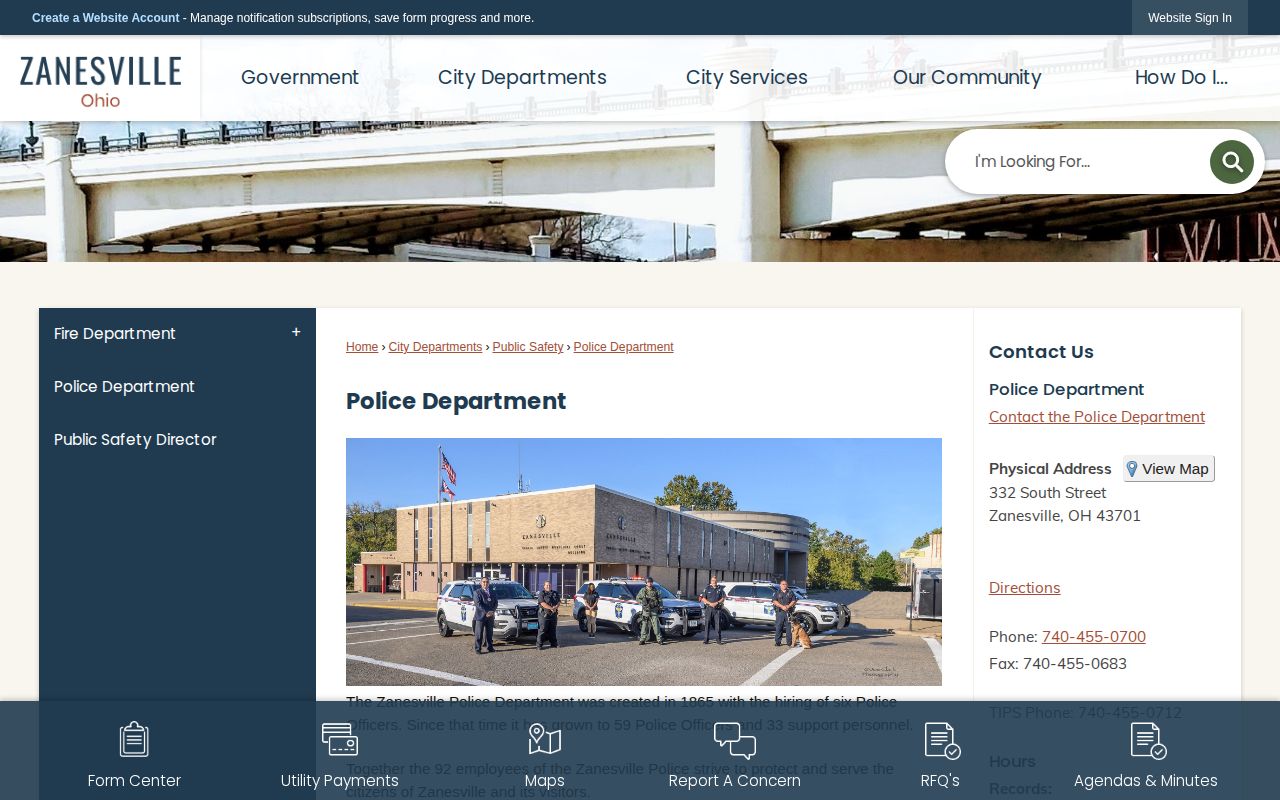
The official page works well for reaching the records office and its linked municipal inmate inquiry. It does not publish a verified daily list of city arrests.
MCSO currently operates from 1840 East Pike, Zanesville, OH 43701. The main number is (740) 452-3637. Records can be reached at (740) 455-7134. For a county-held booking record or photo, use the Sheriff public-records portal. One caution: the county directory still lists an older Sheriff address. Let the current Sheriff contact page and the portal lead the way. Confirm any in-person destination before travelling.
Zanesville Jail Booking Paths
ZPD describes its jail in plain terms. It holds people awaiting court and those serving misdemeanor sentences handed down by Zanesville Municipal Court. Think municipal custody, not a citywide arrest log. County jail custody runs on a separate track through the Muskingum County Sheriff's Office. The arresting agency field on a county detail record can hint at who made or passed along an arrest. It still cannot turn the county roster into a full picture of ZPD activity.
| If the person is... | Start with | What a non-result can mean |
|---|---|---|
| Held by ZPD | ZPD Inmate Information | Release, transfer, record limits, or a name/date mismatch. |
| Committed to county custody | MCSO Inmate Information | Release, transfer, retention limits, or a different custody destination. |
| Released or seeking the police report | ZPD Records or MCSO Records | The agency can identify what it holds and what it may disclose. |
Photos, where they appear, sit inside individual detail views rather than results grids. Neither ZPD nor MCSO promises a photo for every person, sets a refresh schedule, or posts a removal date. Keep the phrase "when displayed" in mind. A citywide photo list is the wrong search entirely. The better question is simple: does the correct public record return a detail right now? That is what matters.
Note: A Zanesville municipal roster hit and a Muskingum County roster hit reflect different custody contexts, even when the search fields look alike.
Zanesville Busted News Sources
Zanesville carries the strongest city-specific secondary footprint in the county. Local news covers ZPD activity often, and Busted Newspaper even keeps a Zanesville tag. WHIZ stands out as the most reliable confirmed archive for local crime stories. The Zanesville Times Recorder runs story-based reporting too, though it has no dedicated crime or mugshot section. Stories may name an agency, an incident date, or a court case number. Still, neither outlet works as a complete booking source. A picture printed in a story is not always an official booking photo.
The official ZPD inmate inquiry is the municipal custody interface described above. Its search fields help you pin down a record without ever showing a photo gallery.
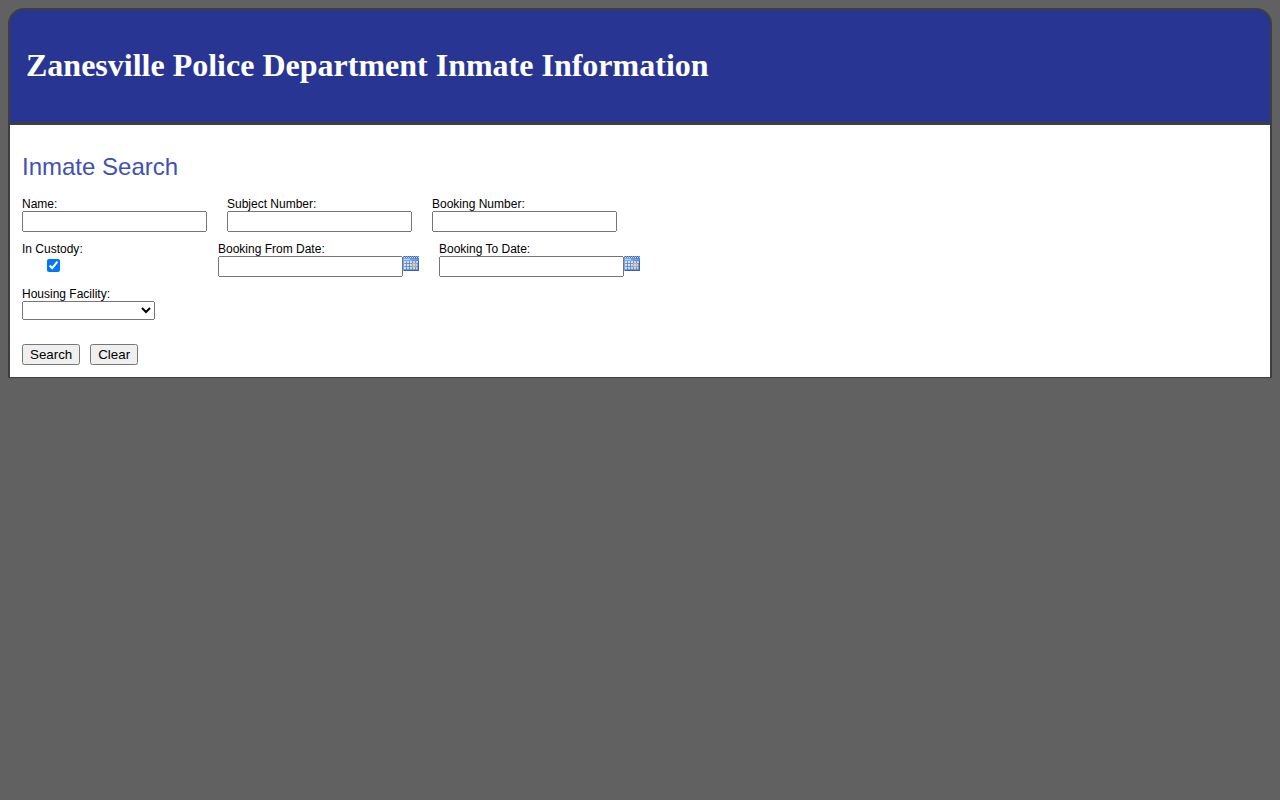
Not every search tool shows faces. Some databases return matching names and booking details instead of a photo gallery. That works fine when you already know who you want. To look across the whole county, the Muskingum mugshots news coverage page splits things into three buckets: what agencies publish, what local reporters cover, and what third-party sites post.
Treat those third-party sites as a starting point, never the finish line. RecentlyBooked shows a county window of recent bookings. Arrests.org lets you drill down by county and year. Mugshots.com keeps an older archive of county pages. None of them move fast or stay tidy. City labels can be wrong, photos can be stale, and dates can lag. When a result matters, confirm it against the booking agency or the court file first.
Zanesville Booking Timing Limits
Timing is the weak spot in every Zanesville arrest search. Both the ZPD and MCSO lookups have booking-date fields, so you can query one day or a span once you know which agency holds the person. Neither agency promises how fast a new booking appears online. Searching today's date is worth a try. It just will not catch every same-day arrest. No official 24-hour, 48-hour, or weekly feed for Zanesville exists under a clear label.
How long records stick around is unstated too. A current-custody filter can drop someone who bonded out, moved to another facility, or went home. For an older city booking, contact ZPD Records directly. For county-held material, the Sheriff's portal routes you to MCSO Records. A blank result means one thing only: check with the agency before drawing any conclusion.
Zanesville Court Record Check
An arrest record only tells part of the story. The court files carry the rest. For a ZPD booking that involved a misdemeanor or a traffic offense, start with the Zanesville Municipal Court. Felony cases take a different path. Those live with the Muskingum County Clerk of Courts, whose online criminal, civil, and domestic records reach back to October 17, 1994. One caveat applies. The online display is a docket summary, and a ruling appears there only once it has been entered by the court.
When you pull up a case, check it against the booking record. Match the case number and the court date. Read them side by side. A release, a bond entry, or a custody status answers a different question than the court outcome does, so the jail rosters and the court files each serve their own purpose. If no case turns up in Common Pleas, the municipal court is likely the right venue for a Zanesville police matter.
Zanesville Records Address Check
Check the current agency source before you drive anywhere. The Sheriff's own contact page lists 1840 East Pike. A broader county directory still shows a different Sheriff's address and fax. One is stale. The conflict alone will not tell you which fits your request. For county records, the safe order is the current Sheriff page, its online records portal, then a confirming phone call. ZPD keeps a separate records contact on its official page, on South Street.
When a search comes up empty, give the custodian something to work with. Describe the date range, the name spelling, the likely arresting agency, and whether you want a police report, a county booking packet, or a photo. If part of a record gets withheld, ask which exemption or redaction applies. A third-party listing, a news story, and a custody search each capture a different moment on the road from arrest to court. They are not interchangeable.